How to Pick a Winner by Keyword on VK: Step-by-Step (2026)
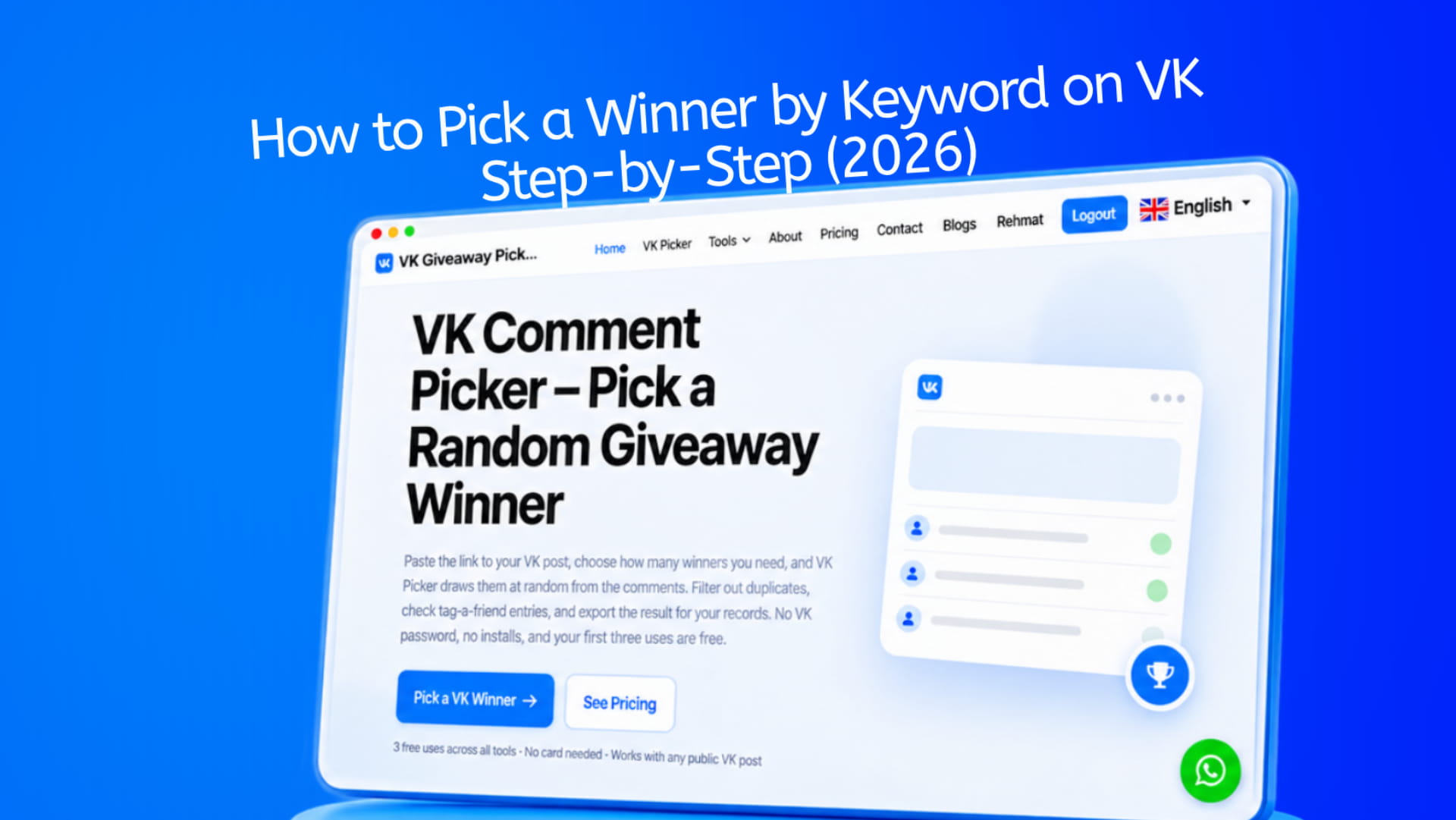
VK Picker is the VK Giveaway Picker – Pick a Random Comment Winner. Paste the link to your VK post, set the entry word, and VK Picker draws the winner at random from the comments that contain it. No VK password, no installs, and your first three uses are free.
A keyword is the simplest entry rule there is. You write one word in your post, entrants write that word in a comment, and the draw only looks at comments with that word in them. Everything else in this post is about doing that well: choosing a word that works, writing rules that match the filters, and drawing in a way you can defend afterwards.
This post is general information, not legal advice. VK's Contest Rules are published in Russian and change from time to time, so read the current version before every giveaway. The rules companion to this guide, VK giveaway rules, explains what you can and cannot ask for, including the tag-a-friend condition you should not require.
What a keyword entry actually is
A keyword entry is a comment that contains the word you asked for. Nothing more, nothing less. If your post says "comment SUNFLOWER to enter", then a comment that says SUNFLOWER is an entry, and a comment that says something else is not. The keyword is the instruction, the test, and the record, all in one word.
That is different from an open comment giveaway, where every comment counts. In an open draw, a question, a complaint, and a "nice post" all go into the same pool, and you have to decide afterwards which ones were meant as entries. With a keyword, the entrants sort themselves. Anyone who read the post and followed it is in the pool, and anyone who did not is out, without you having to judge intent comment by comment.
It is also different from a creative contest. A keyword draw does not judge the best answer, the funniest comment, or the most original idea. It draws at random from everyone who used the word. If you want to judge answers, say so in the post and judge them openly. Do not run a keyword draw and then pick your favourite comment from the pool, because that is not the draw you advertised.
Set the keyword in the VK comment picker filter before you draw, and the picker only draws from comments that contain the word you set. The rest of this post shows you how to choose that word and how to combine it with the other filters, so the draw matches the rules you published.
Why use a keyword at all
The first reason is clarity. An entrant never has to wonder whether they entered correctly. They wrote the word, so they entered. They did not write the word, so they did not. That is a much easier rule to explain than "leave a meaningful comment", which means something different to every person who reads it.
The second reason is that it makes the draw checkable. After the draw, you can show the word, show the filters, and show the result. An entrant who missed out can look at their own comment and see whether the word was there. A draw nobody can check is a draw nobody has to trust, and trust is the whole point of a public giveaway.
The third reason is that it stops the wrong comments from entering the pool. A giveaway post attracts all kinds of comments: questions about the prize, people tagging friends, people arguing in the replies, and people who just want to say hello. None of those people entered your giveaway, and none of them should be able to win it. A keyword keeps them out without you having to delete their comments or argue about them afterwards.
The fourth reason is that it works in Russian as well as in English. VK Picker reads Cyrillic comments, so a Russian code word works exactly the same way as an English one. If your community speaks Russian, use a Russian word. Do not force an English word on a Russian audience just because most picker guides are written in English, and do not use a word your entrants will have to guess how to spell.
There is one trade-off to accept. A keyword draw is only as good as the word you choose. A word that is too common, too easy to misspell, or too close to another word will cause exactly the confusion the keyword was meant to prevent. The next section is about avoiding that.
How to choose a good keyword
A good keyword has four qualities: it is distinctive, it is short, it is easy to spell, and it is yours for this giveaway. If it fails any of those four, pick another one.
Distinctive means the word would only appear in a comment from someone entering. A made-up code word is ideal: a prize name, a word from your community, or a short invented word nobody would write by accident. An everyday word is a bad keyword. If your word is "yes", "good", or "VK", then ordinary comments that were never meant as entries can land in the pool, and you will spend the draw arguing about which ones count. Pick a word that does not belong in normal conversation about your post.
Short means one word, not a sentence. A single word is easy to copy, easy to type on a phone, and easy to check. A phrase is three chances to make a mistake instead of one. If you need more than one word to make the entry interesting, use one of them as the keyword and put the rest in the comment as an optional extra. The keyword is the test; the rest of the comment is decoration.
Easy to spell means your entrants will get it right the first time. Avoid words with tricky letters, double letters that people drop, and words that have two common spellings. If your community is Russian-speaking, avoid a word that looks different in Latin and Cyrillic letters. Test the word on yourself first: type it once, quickly, on a phone keyboard, and see whether it comes out right. If you have to think about it, your entrants will get it wrong.
Yours for this giveaway means the word belongs to this draw, not to every draw you run. If you reuse the same keyword for every giveaway, an old comment copied into a new post can look like a fresh entry, and a regular who enters every giveaway with the same word can look like a new entrant. Change the word each time. A new word costs you nothing, and it ties every entry to this specific post, this specific prize, and this specific end date.
Two more practical points. First, write the keyword in the post exactly as entrants should write it, in the same letters and the same case, and tell them to copy it exactly. Do not write it one way in the post and a different way in the rules, and do not change the spelling halfway through. Second, do not put the keyword in a place entrants will not see it. It belongs in the main text of the post, not hidden in a comment, a link, or an image. If people have to hunt for the word, they will guess it instead, and guessing is not entering.
Write the rules before you post
The rules and the filters must say the same thing. That is the single most important sentence in this post, and it is worth repeating: the rules and the filters must say the same thing. If your post says one thing and your draw does another, the draw is wrong even if the tool worked perfectly.
Before you post, write down these six things, and put them in the post itself:
- The keyword, spelled exactly as entrants should write it.
- One entry per person, or one entry per comment — decide now, because they give different odds.
- Whether replies count as entries, or only top-level comments.
- The end date and time, fixed in advance, with a time zone.
- The prize, the number of winners, and how the winner will be announced.
- How long the winner has to reply, and what happens if they do not.
If you have not read it yet, start with how to run a VK giveaway, which covers the goal, the prize, the mechanic, and the announcement in full. This post is the keyword companion to that guide, not a replacement for it. The rules template in the rules post also fits here: take its seven points, replace the first point with your keyword, and you have a complete set of rules.
One rule deserves special attention. Do not make tagging a friend a required entry condition. VK's rules prohibit encouraging targeted recruitment through mentions, invitations, and personal messages, and the rules post explains why in full. The picker has a tag-a-friend filter, but having a filter is not the same as having permission to require it. If people tag a friend voluntarily, that is their choice. If your rules demand it, that is a condition VK's rules do not allow.
The draw, step by step
Once entries have closed, the draw itself takes a few minutes. Do not draw early, do not draw from a post that is still open, and do not change any filter after entries close. The steps below assume the post is public and stays public until after the announcement, so the comments can be read.
First, open VK Picker and paste the link to your VK post. You do not give VK Picker your VK password. You create a free VK Picker account, which gives you three free uses across all tools, with no card required. After that, Pro is $5 a month or $50 a year. The picker only reads comments on a public VK post, so check the post is public before you start.
Second, set the number of winners to the number your post promised. If the post said one winner, draw one winner. Do not draw three winners from a one-winner giveaway and hand out two extra prizes as a surprise, because the people who entered a one-winner draw entered on those odds. If you want more winners, say so before entries close, not after the draw.
Third, enter the keyword in the keyword filter, exactly as it appears in your post. Only enter the word your post actually asked for. Do not add a second keyword at draw time because you think of a better one, and do not remove the keyword because too few people used it. A small pool drawn fairly is better than a large pool drawn from rules nobody saw.
Fourth, set the other filters to match your rules, and only your rules. Turn on duplicate removal if your rules said one entry per person, so one person cannot win twice from several comments. Set the replies option to match what your post said: include replies if your post said replies count, leave them out if it said only top-level comments count. Add exclude words only if your post said certain words would disqualify an entry. Set a minimum comment length only if your post asked for more than just the keyword, such as the keyword plus a sentence. Every filter you turn on is a rule you are enforcing, so every one of them needs to have been in the post first.
Fifth, draw. The picker draws at random from the comments that are left after the filters, using your browser's Web Crypto API, which is a cryptographically secure random generator. It does not rank entrants by likes, it does not pick the most popular comment, and it does not choose the comment you would have chosen. That is the point. A random draw is the only draw that treats every eligible entry the same.
Sixth, save the result. Pro plans can export the draw as PDF, Excel, or CSV, and you should keep that export as your record. Even on a free draw, take a screenshot of the result with the date and time visible, and keep it with the post. If anyone questions the draw later, the export or screenshot is your answer. A draw with no record is a draw you cannot defend.
Seventh, announce the winner in a comment on the contest post or in a separate wall post, with the date and time of the draw. Name the winner, say how long they have to reply, and say what happens if they do not. Do not delete the contest post before the results are out, and do not announce the winner only in a private message. The results must be published openly, because the entrants who did not win are entitled to see that somebody did.
For the full draw steps, with each filter explained in the general case, read how to pick a winner on VK. The short version is the same as ever: draw once, save the export, announce that result, and give the winner the reply deadline you stated in advance.
Combining the keyword with the other filters
A keyword on its own is a good entry rule. A keyword combined with the right filters is a complete entry rule. The combinations below are the ones that come up most often, and each one only works if the post said so first.
Keyword plus duplicate removal is the most common combination, and the one you should use by default. Most giveaways mean one entry per person, and duplicate removal is how the picker enforces that. Without it, the person who commented ten times has ten chances, and the person who commented once has one. That is not a rule most organisers intend, and it is not a rule most entrants expect. If your post really does allow one entry per comment, say so clearly, and leave duplicate removal off. Otherwise, turn it on.
Keyword plus exclude words is for the cases where a comment contains the keyword but should not count. The usual example is a comment that says the keyword and then says "not entering" or "just watching". If your post said those comments do not count, put those words in the exclude field. Do not invent exclude words at draw time to remove a comment you do not like. The exclude list is a rule, and like every rule, it has to be published before entries close.
Keyword plus minimum length is for giveaways where the keyword alone is not the whole entry. If your post asked for the keyword plus a reason, a guess, or a sentence, then a comment with only the keyword is an incomplete entry, and a minimum length is how you enforce that. Set the length to the smallest comment that could possibly be a real answer, not to a length that only long comments can reach. A minimum that is too high disqualifies short honest answers; a minimum that is too low does nothing at all.
Keyword plus replies is a choice, not a default. Replies are the comments under other comments, and they behave differently from top-level comments. In some giveaways, a reply is a natural entry: someone answers a question in a thread, or continues a conversation that started with the keyword. In others, replies are chatter, and counting them would let one thread produce dozens of entries from the same few people. Decide which one your giveaway is, write it in the post, and set the replies option to match. If you did not say anything about replies in the post, the safest choice is to count only top-level comments, because that is what most entrants will have assumed.
Keyword plus tag-a-friend is the combination to avoid. As the rules post explains, do not require entrants to tag a friend. If your post did not require it, do not turn the filter on at draw time, because it would remove every entrant who followed your actual rules and did not tag anyone. The filter exists for other platforms' giveaways. On VK, leave it off unless you have read the current Contest Rules and are certain the condition you are enforcing is allowed.
Mistakes that ruin a keyword giveaway
Most keyword giveaways fail in the same few ways, and all of them are avoidable. Read this list before you post, not after the draw.
The first mistake is changing the keyword after entries have started. If the first word was hard to spell, or too common, or already in use somewhere else, the temptation is to quietly switch to a better one. Do not. The people who already entered used the first word, and switching the word disqualifies them. If you made a genuine mistake, correct it openly, note what changed and when, give entrants time to adjust, and understand that even an open correction carries risk. Changing the rules during a contest is itself banned under VK's rules.
The second mistake is using two spellings of the same word. If the post says "SUNFLOWER" in one place and "Sunflower" in another, or a Russian word in one place and its Latin lookalike in another, entrants will split between the two, and half of them will have used the wrong one. Pick one spelling, use it everywhere, and tell entrants to copy it exactly.
The third mistake is drawing before entries close. A draw run early only looks at the comments that exist at that moment, and everyone who enters after it is excluded from a draw that was supposed to include them. Wait until the fixed end date and time you published, then draw once. If the end date has passed and the post is still collecting comments, close the post to comments or note the closing time clearly, and draw from the comments up to that time.
The fourth mistake is adding a filter at draw time that was not in the post. This is the most common mistake of all, because it feels like tidying up. You notice a comment you think should not count, so you add an exclude word, or you turn on a minimum length, or you switch replies off. Every one of those changes rewrites the rules after people entered under the old ones. If a filter was not in the post, do not use it in the draw. Note it for next time, and write a better post next time.
The fifth mistake is counting entries you cannot verify. A keyword draw checks comments. It cannot check whether someone followed your community, reposted your post, or liked it. If your rules included any of those conditions, check the winner for them by hand before you announce them. Announcing a winner who did not follow the rules, and then taking the prize back, is worse than checking first and drawing a replacement from the same pool if the first winner fails the check. Say in your rules what happens if the winner does not qualify, so the replacement draw is expected, not a surprise.
The sixth mistake is announcing the winner without proof. "Congratulations to Anna!" with no date, no draw record, and no way to check is not an announcement. It is a claim. Name the winner, give the draw date and time, and keep the export or screenshot. The entrants who lost are not your enemies. They are the people you want to enter next time, and they will only do that if they believe this draw was fair.
What the keyword filter cannot do
A keyword filter is a comment filter, and it is worth being exact about its limits, because the limits decide what you still have to do by hand.
It cannot verify a follow, a repost, or a like. The picker reads comments on a public VK post. It does not read your community's member list, your post's repost list, or its like list. If your rules asked for any of those, the keyword draw gives you a winner from the comments, and you still have to check that winner against the other conditions yourself. Do not claim the picker verified something it cannot see.
It cannot read a private post. If the contest post is not public, the picker cannot read its comments, and there is no draw to run. Keep the post public from the moment you publish it until after the results are announced. Changing it to private halfway through hides the evidence, and changing it back afterwards does not undo that.
It cannot judge whether an answer is good. If your giveaway asked for the keyword plus a creative answer, the filter can check that the keyword is there, and a minimum length can check that something more was written. Neither can check whether the something more was clever, funny, or original. If the prize goes to the best answer, judge the answers openly, and say in advance who is judging and by what standard. Do not pretend a random draw judged them.
It cannot fix a bad keyword. If the word was too common, too hard to spell, or used in two different spellings, the filter will faithfully apply the word you gave it, and the result will faithfully reflect the confusion. The tool does not know what you meant. It only knows what you typed. That is why the choosing and the rules matter more than the draw itself: the draw is the easy part, and it only works if the setup was right.
Your keyword giveaway checklist
Use this checklist before you post, and again before you draw.
- The keyword is one word, distinctive, short, and easy to spell, and it changes with each giveaway.
- The keyword is written in the post exactly as entrants should write it, in the main text, not hidden away.
- The post states one entry per person or one entry per comment, whether replies count, and the fixed end date and time.
- The post states the prize, the number of winners, how the winner will be announced, and the reply deadline.
- No tag-a-friend condition is required to enter, and no other banned condition is in the rules.
- The post is public and stays public until after the results are announced.
- The draw uses only the filters the post announced: the keyword, duplicate removal, replies, exclude words, and minimum length, as published.
- The winner is drawn at random from the filtered comments, and the export or screenshot is saved.
- The winner is checked by hand for any follow, repost, or like condition the rules included.
- The result is published openly, with the winner named and the draw date and time given.
Follow that list, and your keyword giveaway will be easy to enter, easy to draw, and easy to defend. Pick a word worth copying, write rules worth following, and let a fair draw do the rest.
Frequently Asked Questions
Set one keyword for the draw, and choose the word that best defines a valid entry, such as the correct answer or the code word. If two words both matter, pick the one that proves the entrant followed the step.
A comment that does not contain the keyword you set will not count as an entry, even if the mistake was honest. Tell entrants to copy the word exactly as written, and check the spelling in your post before anyone starts entering.
No, the picker reads comments only, so it cannot verify a like, a repost, or whether someone joined your community. If your rules asked for any of those, check the winner for them by hand before you announce the result.
Only count replies if your post said so, because the tool lets you include or leave out replies when you draw. If replies count, say so clearly, and use duplicate removal so one person cannot win twice from the same thread.
No, changing the keyword, the end date, or any other rule during the giveaway breaks the rules entrants agreed to. If you made a genuine mistake, correct it openly, give entrants time to adjust, and understand that the change still carries risk.